Seedance 2.5 AI動画生成
動画の長さは4〜30秒です。
Create a 30-second, 16:9 cinematic short film in a handcrafted needle-felted wool stop-motion style. STORY CONCEPT During a winter night, a small lamb discovers that the wool moon is unraveling. She follows its loose silver thread through the forest and carefully weaves the moon back together. The story should express the natural qualities of wool felt: softness, unraveling fibers, stitching, weaving, patching, warmth, and gentle transformation. VISUAL STYLE A magical nighttime forest created entirely from needle-felted wool, yarn, fabric, embroidery thread, cotton, and handmade miniature materials. Use deep navy-blue felt skies, soft white wool snow, silver thread stars, warm amber lantern light, and a large cream-colored needle-felted moon. Show visible fibers, fuzzy edges, stitching, layered fabric, loose threads, and subtle handmade imperfections. Animate mostly on twos at 24 fps playback. Movement should feel soft, tactile, and intentionally handcrafted. Use slow motion-control camera moves and macro lenses with shallow depth of field. CHARACTER CONSISTENCY Pip: A small white needle-felted lamb with round black felt eyes, pale pink inner ears, short curled wool, a red knitted scarf, and a tiny amber lantern attached to a wooden handle. Owl: A small brown felt owl with embroidered eyes, layered fabric wings, and a blue knitted cap. Keep their proportions, fibers, clothing, colors, and facial designs consistent throughout. 0–5 SECONDS Begin with a slow aerial movement across a quiet wool forest at night. Pass soft felt pine trees, embroidered snowflakes, cotton clouds, and tiny silver-thread stars. Pip walks along a stitched path carrying her amber lantern. She stops when a glowing silver fiber drifts down in front of her face. Pip looks up and sees a loose thread hanging from the lower edge of the large wool moon. 5–11 SECONDS A gentle wind catches the loose silver thread and pulls it across the sky. The edge of the moon begins unraveling. Soft cream-colored fibers peel away and float through the air like glowing wool snow. As the moon becomes smaller, its warm light fades across the forest. The owl wakes on a nearby branch and looks worried. Small woodland animals emerge from their felt homes as the forest grows darker. Pip catches the silver thread between her soft hooves before it can blow away. 11–17 SECONDS The wind pulls the thread through the forest, carrying Pip behind it. She slides down a hill of layered white felt, runs beneath arching knitted roots, and crosses a stream made from rippling blue ribbons. Her red scarf catches on a branch and begins to unravel. Without stopping, Pip uses the loose red yarn to tie the silver moon thread securely around her waist. The glowing thread now forms a clear path from Pip back to the damaged moon. 17–23 SECONDS Pip reaches the tallest felt pine tree and climbs its soft stitched branches. At the top, the owl arrives carrying a small wooden weaving shuttle. Pip threads the moon's loose silver fiber through it. Together, they swing the shuttle back and forth. Each pass weaves the floating cream fibers into a new curved section of the moon. Show the moon rebuilding through visible layers of wool rather than appearing instantly. 23–27 SECONDS Pip presses the final loose fibers into place with both hooves. A soft golden pulse travels through the newly woven moon. Its full round shape returns, brighter and warmer than before. The silver-thread stars illuminate one by one across the navy felt sky. Warm moonlight spreads over the snow, trees, animals, and individual wool fibers. The forest animals cheer silently, bouncing in small stop-motion movements. 27–30 SECONDS Pip notices that most of her red scarf has unraveled during the journey. Only a short piece remains around her neck. The owl gathers the leftover red yarn and quickly knits it into two tiny matching scarves—one for Pip and one for himself. They sit together on the highest branch beneath the repaired moon. Pip's lantern dims as the moonlight takes over. End with the camera slowly pulling back to reveal the entire wool forest glowing beneath the newly mended moon. SOUND Use soft winter wind, fabric movement, wool brushing, yarn sliding, tiny wooden footsteps, and delicate stitching sounds. Add a gentle music-box melody with warm strings as Pip follows the thread. Each completed stitch produces a soft bell-like note. Let the music swell when the moon lights up. During the final second, fade the music away and retain only quiet wind and the soft movement of wool fibers. FINAL IMAGE A peaceful wide shot of Pip and the owl wearing matching red scarves beneath the repaired needle-felted moon. Every tree, cloud, star, and snowdrift retains visible handmade fibers and stitching. No title, logo, subtitle, watermark, or end card.
Seedance 2.5で音声付き30秒AI動画を生成
Seedance 2.5は、テキストや画像、動画、音声を参照し、音声付きで最長30秒のAI動画を生成できるByteDanceの動画生成AIです。複数カットでも一貫したシーンを、参照素材で正確にコントロールできます。
Seedance 2.5 AI動画生成モデルを選ぶ理由
Seedance 2.5はByteDanceの次世代 音声・動画生成モデルで、断片的なクリップではなく一続きのシーンを作ることを前提に設計されています。Img2.AIでは、テキスト・画像・動画・音声を使ったワークフローを1つの動画生成AIにまとめました。
まずはプロンプトだけでアイデアを試し、商品・キャラクター・動き・構図・ビジュアルスタイル・音をより厳密に管理したいときは、最大50件のマルチモーダル参照を組み合わせられます。
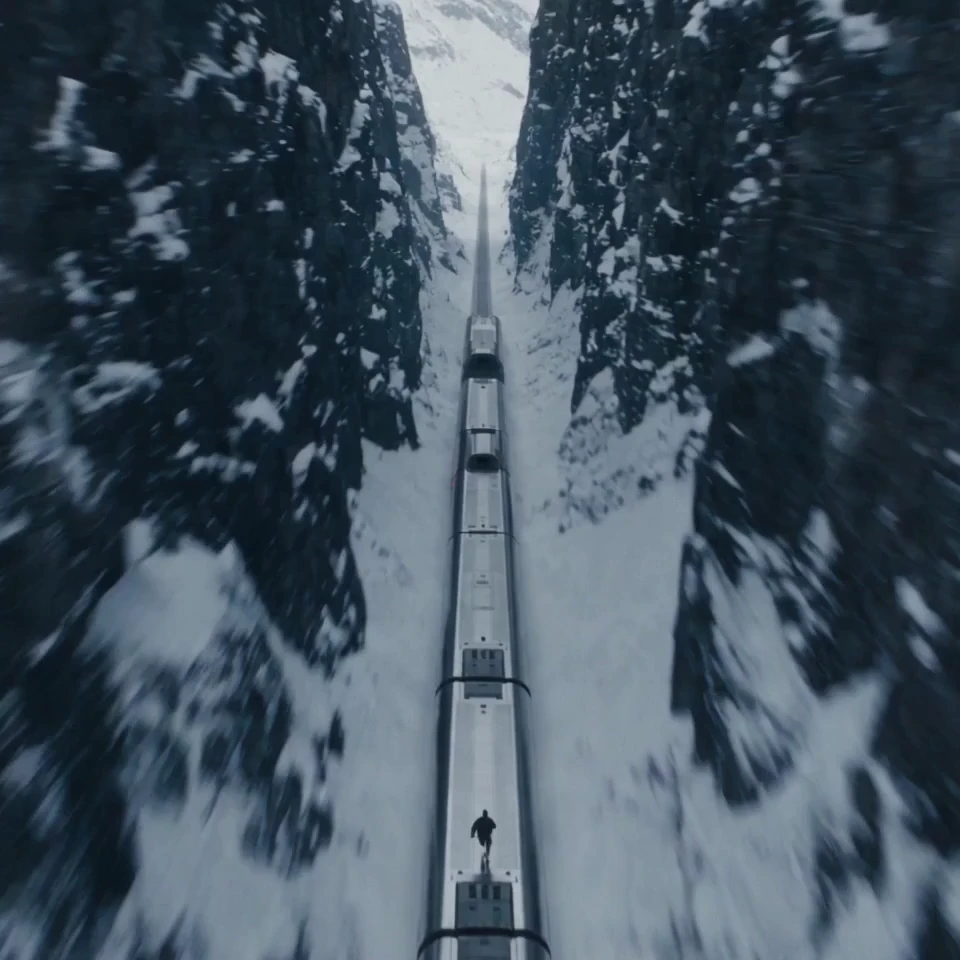
長いストーリーを1本で構成
1回の生成で最長30秒の動画を作成できるため、導入・展開・転換・結末を1つのまとまったシーンに収められます。単発の動くカットではなく、物語の流れが必要なアイデアに向いています。
Seedance 2.5で作れるもの
プロンプト例 A premium skincare serum stands on a dark reflective surface. Open with a macro shot of condensation moving across the glass bottle. The camera orbits slowly as a soft blue light reveals the label. Transition to the serum spreading across skin in a clean studio close-up. End on the product and logo with a restrained electronic sound cue. Preserve the bottle shape, label, and brand colors from the references.
全カットを撮り直さずに商品をローンチ
DTCブランド、EC担当、商品マーケター向け · モード:参照から動画 · 入力:商品画像+ブランド参照 · 出力:商品ローンチ広告
承認済みの商品写真、パッケージ、ブランドガイドラインはあるものの、キャンペーンには「動き」が必要。商品の見た目を保ちながら、意図した照明・カメラワーク・音を備えた一連のローンチ映像に仕上げられます。
おすすめの設定: 商品・パッケージ・照明・音声の参照素材を使った「参照から動画」。
プロンプト例 A commuter steps onto a crowded train holding a nearly empty coffee cup. The train suddenly transforms into a quiet sunrise overlook. She takes one sip, relaxes, and the city noise fades into birds and soft wind. Cut the coffee package on a stone ledge. Warm natural light, grounded performance, clean brand reveal, vertical composition.
1つのアイデアを広告用・UGCクリエイティブへ
パフォーマンスマーケター、UGCチーム、SNSクリエイター、代理店向け · モード:テキストから動画 · 入力:キャンペーン案+任意のビジュアル参照 · 出力:広告/UGCクリエイティブ
TikTok、Reels、Shorts、広告枠向けにショート動画の案が複数必要でも、撮影の準備が整っていない。簡単なキャンペーン案から完成形の初稿を作り、有力な方向性をフォーマットやフック、ターゲット別に展開できます。
おすすめの設定: まずは「テキストから動画」で方向性を検証し、決まった段階でクリエイター・商品・キャンペーンの参照を追加。
プロンプト例 One continuous handheld tracking shot through a backstage corridor. Follow the lead performer from the dressing room, past dancers and crew, then through the stage curtain into a wide arena reveal. Keep the performer consistent. Use natural occlusions for transitions, warm backstage practical lighting, cooler stage light, rising crowd ambience, and no abrupt cuts.
撮影前にシーンをプレビズ
監督、制作会社、代理店のプレゼンチーム向け · モード:参照から動画 · 入力:絵コンテ+立ち位置+カメラ参照 · 出力:シネマティックなプレビズ
スタッフやロケを確定する前に、立ち位置、レンズの動き、つなぎ、演技をチームで揃えたい。絵コンテと空間の参照を動くシーンに変換し、演出意図を確認しやすくします。
おすすめの設定: 絵コンテ、環境画像、モーション参照、音の指示を使った「参照から動画」。
プロンプト例 A young bicycle courier in a yellow rain jacket races through a neon city during a storm. Begin with a close-up as she checks a damaged parcel, follow her through a crowded market, then reveal a flooded street blocking the route. She carries the bicycle across a narrow footbridge and reaches a quiet apartment at dawn. Keep her face, jacket, bicycle, and parcel consistent throughout.
複数カットでもキャラクターを一貫させる
ショートフィルム制作者、アニメチーム、連続ものの作り手向け · モード:参照から動画 · 入力:キャラクター設定+ロケーション参照 · 出力:ナラティブシーン
カットごとに主人公が変わってしまうと物語の力は失われます。見た目、衣装、環境、感情の流れを繰り返し使う参照素材で固定し、プロンプトでは物語を順序どおりに記述します。
おすすめの設定: 整理したキャラクター設定、衣装のディテール、主要ロケーション、ビート単位のプロンプトを使った「参照から動画」。
プロンプト例 A vocalist performs inside an empty midnight diner as rain moves across the windows. Start close and intimate during the verse. As the beat opens, pull the camera through the glass and reveal the diner glowing alone beside a dark highway. Keep the singer's appearance consistent, match movement to the track's energy, and preserve natural lip and body motion.
演奏とリズムを軸にした音楽映像を制作
ミュージシャン、レーベル、イベントチーム、SNSクリエイター向け · モード:音声ガイド動画 · 入力:楽曲の一部+演者の参照 · 出力:ミュージックビジュアル
楽曲とビジュアルの方向性はあるが、音楽に沿って組み立てたシーンが必要。音声と演技の参照を併用し、動き、カメラの勢い、シーン転換を同じリズムに合わせます。
おすすめの設定: 演者の画像、楽曲の一部、明確なカメラのビートを使った音声ガイド付き「参照から動画」。
作成モード
Seedance 2.5でAI動画を生成する方法を選ぶ
各モードは出発点となる入力が異なります。いま手元にある素材に合うモードを選び、残りの演出はプロンプトで伝えましょう。
テキストから動画
書いたコンセプトからシーン全体を組み立てます。
- 使いどき
- アイデアが文章の段階で、シーンをゼロから組み立てたいとき。
- 向いている用途
- 初期コンセプト、ナラティブシーン、キャンペーン案、アイデア検証。
- 始め方
- 被写体、舞台、動き、カメラ、照明、テンポ、音を整理して書いたプロンプト。
画像から動画
手元の静止画を、印象を崩さず動かします。
- 使いどき
- 静止画が被写体、商品、キャラクター、開始フレームをすでに決めているとき。
- 向いている用途
- 商品画像、キービジュアル、キャンペーン写真、キャラクターのポートレート、ビジュアル開発。
- 始め方
- 質の高い元画像と、動き・カメラの挙動・変えたくない要素を書いたプロンプト。
参照から動画
複数の参照素材で結果を狙いどおりに固定します。
- 使いどき
- ビジュアル、動き、キャラクター、空間、音などの複数の参照に従わせたいとき。
- 向いている用途
- ブランド管理された制作、複数キャラクターのシーン、物語の連続性、映像のプレビズ、参照素材の多いワークフロー。
- 始め方
- 役割が明確な参照素材だけを選び、プロンプト内でそれぞれの役割を指定すること。
ワークフロー
Seedance 2.5の使い方
アイデアから音声付きの完成シーンまで、3ステップで進められます。
- 1
モードを選んで参照素材を追加
「テキストから動画」「画像から動画」「参照から動画」「編集・延長」から選びます。結果を導く画像、動画、音声をアップロードし、役割が曖昧な素材は外しましょう。
- 2
監督のようにプロンプトを書く
シーンを順序どおりのビートで記述し、カメラ、動き、照明、テンポ、音を加えます。曖昧な形容詞を並べるより、一貫させたい要素を名指しするほうが有効です。
弱いプロンプトMake a cinematic shoe ad.
より良いプロンプトA black running shoe rests on wet asphalt before dawn. Begin with a macro shot of water moving across the sole, then track beside an athlete as the first city lights switch on. Keep the shoe design and logo unchanged from the reference image. Cool blue lighting, low camera angle, grounded foot impact, synchronized rain and street ambience, clean product frame at the end.
- 3
生成・確認・調整してダウンロード
キャラクターと商品の一貫性、シーンの順序、音のタイミング、つなぎを確認します。必要なら特定の箇所を調整したりシーンを延長し、完成した動画を透かしなしでダウンロードできます。
よくある質問
Seedance 2.5についてよくある質問
モデルの機能、ワークフローの挙動、ダウンロードされるファイルについてまとめました。
ByteDanceの次世代 音声・動画生成モデルです。一貫した物語表現、マルチモーダル参照による制御、音声の同時生成、精密な編集に対応し、広告、SNSコンテンツ、シネマティックな企画などのプロ用途を想定しています。
はい。Img2.AIのアカウントを作成すればお試しいただけます。現在の利用可能枠はアカウント内に表示されるため、生成前に適用される上限を確認できます。
1回の生成で最長30秒の動画を作成できます。物語を続けたい場合は延長ワークフローを使い、意図した被写体、環境、テンポを保ったままシーンを先へ進められます。
はい。セリフ、環境音、効果音、音楽の方向性を含め、映像と音声を同時に生成できます。音の指示と関連する参照素材が明確なほど、音が映像とぶつからずシーンを支えます。
テキスト、画像、動画、音声で演出を指示できます。参照素材の多い制作では最大50件のマルチモーダル参照に対応します。各ファイルはキャラクターの同一性、商品の見た目、動き、構図、舞台、音など役割を決めて使ってください。
Seedance 2.5は480pまたは720pで生成でき、ジェネレーターのどのモードでも両方選べます。4Kには現在対応していません。プロンプトや参照素材の検証中は480p、残したいバージョンは720pがおすすめです。クレジットは選んだ解像度に応じて秒単位で計算されます。
新しいモデルは、1回の生成でより長い物語を作れること、マルチモーダル参照の理解、編集の安定性、シーンのつながりの滑らかさ、映像と音の連携が向上しています。そのため、完結したシーン制作や参照素材の多いワークフローに適しています。
商用利用は、アカウントに表示される現在のImg2.AIプラン規約とモデルの利用条件に従って可能です。プロンプト、アップロードした参照素材、ブランド、肖像、音楽などの素材について必要な権利を確保する責任はご利用者にあります。
いいえ。このツールで生成・ダウンロードした動画は透かしなしです。
プロンプトは映像のビートの連なりとして書きます。まず被写体と舞台を示し、時間とともに何が変わるかを説明し、カメラと照明を指定し、音の指示を加え、一貫させたい要素を明記します。スタイルを表す形容詞を並べるより、具体的な指示のほうがモデルに有効な情報を与えます。
制作をはじめる
Seedance 2.5で1つのワークフローからシーン全体を作る
プロンプトと参照素材から、音声が同期した一貫性のある動画へ。細かい演出まで制御でき、透かしなしでダウンロードできます。
- 無料で試す
- 透かしなしダウンロード
- 商用利用可能
最初のプロンプトか参照素材を追加して始めましょう。