Image to Image AI Generator — Create Consistent Variations From Any Photo
With Image to Image AI, upload a photo and generate a new version in any style. Restyle images, swap backgrounds, or turn sketches into finished artwork—no editing required.Unlike simple filters, our AI understands your subject and follows your instructions to create clean variations.
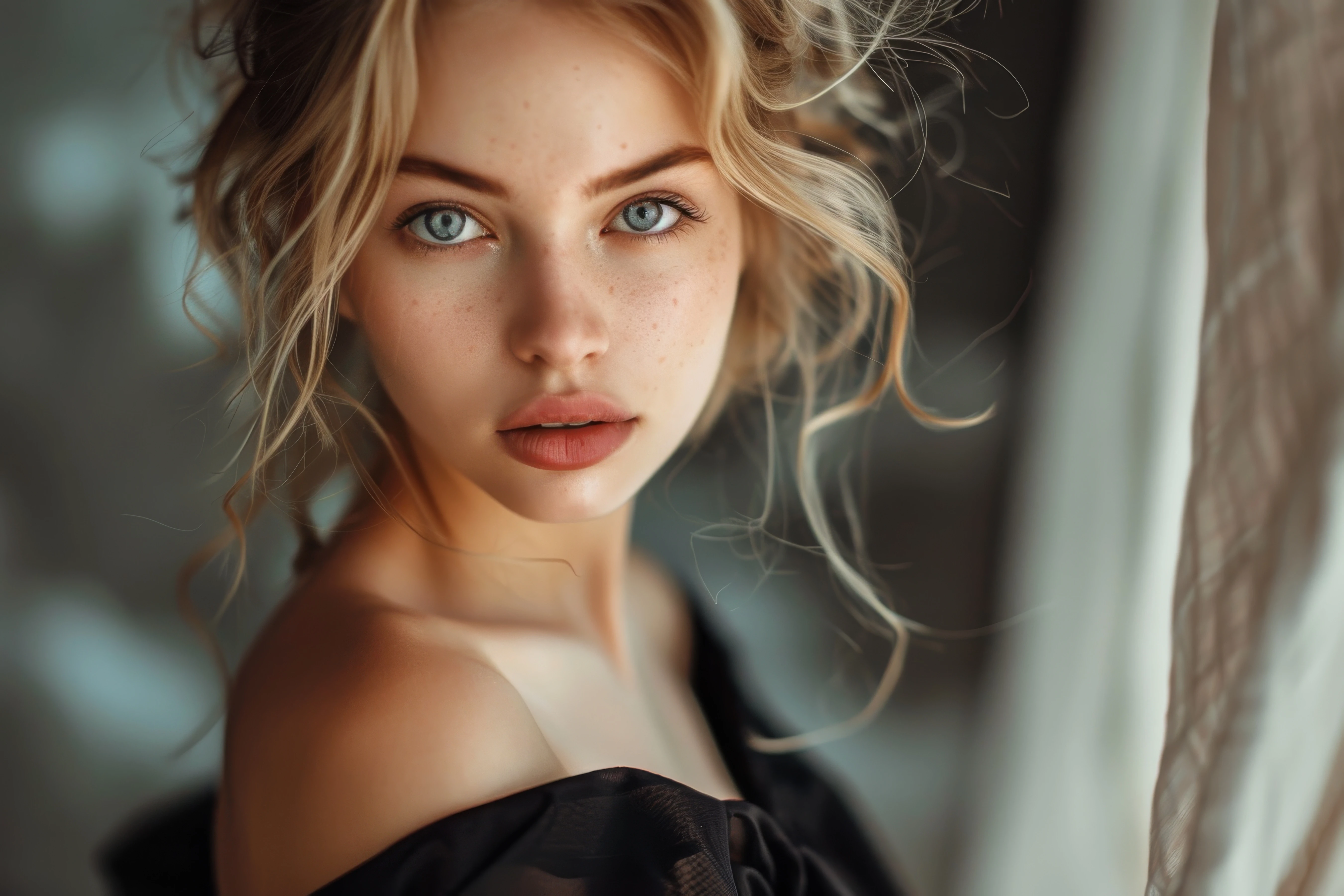
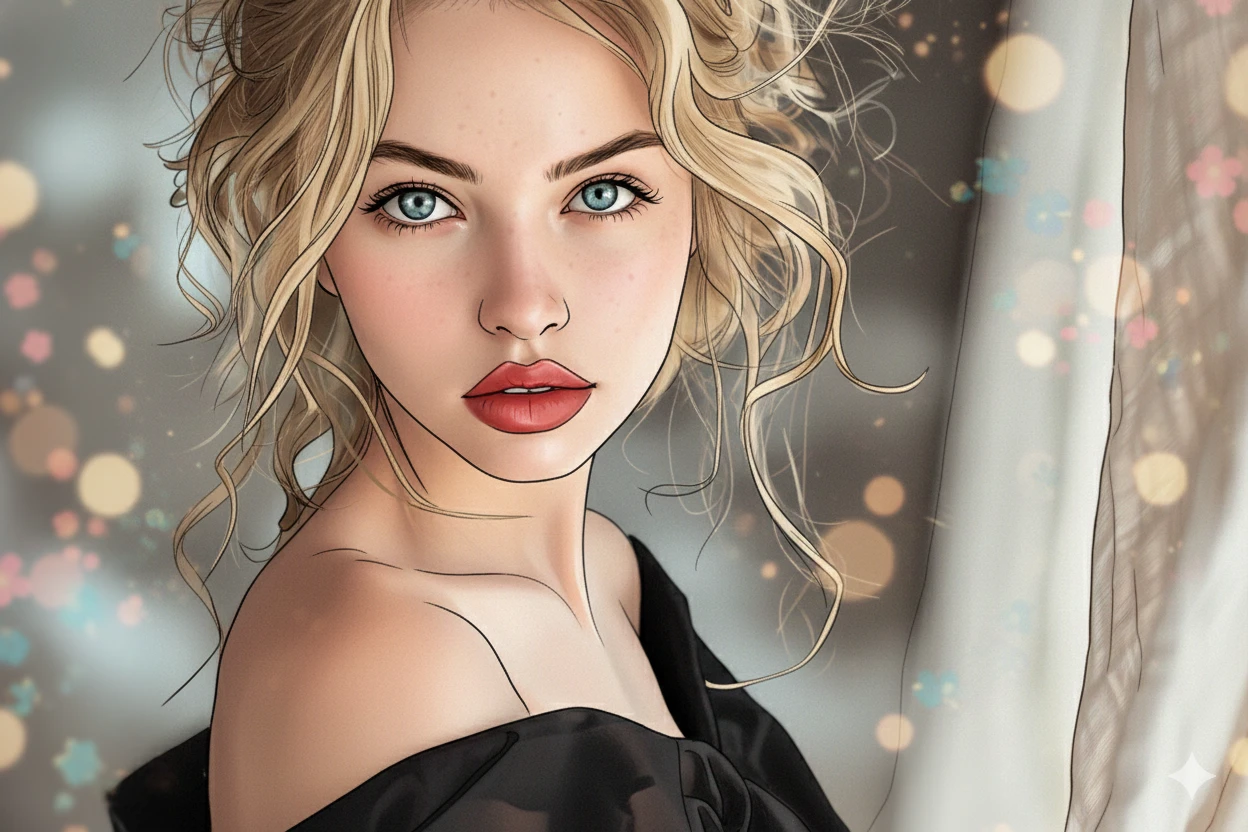 OriginalAI Generated
AI Image Generator and Editor
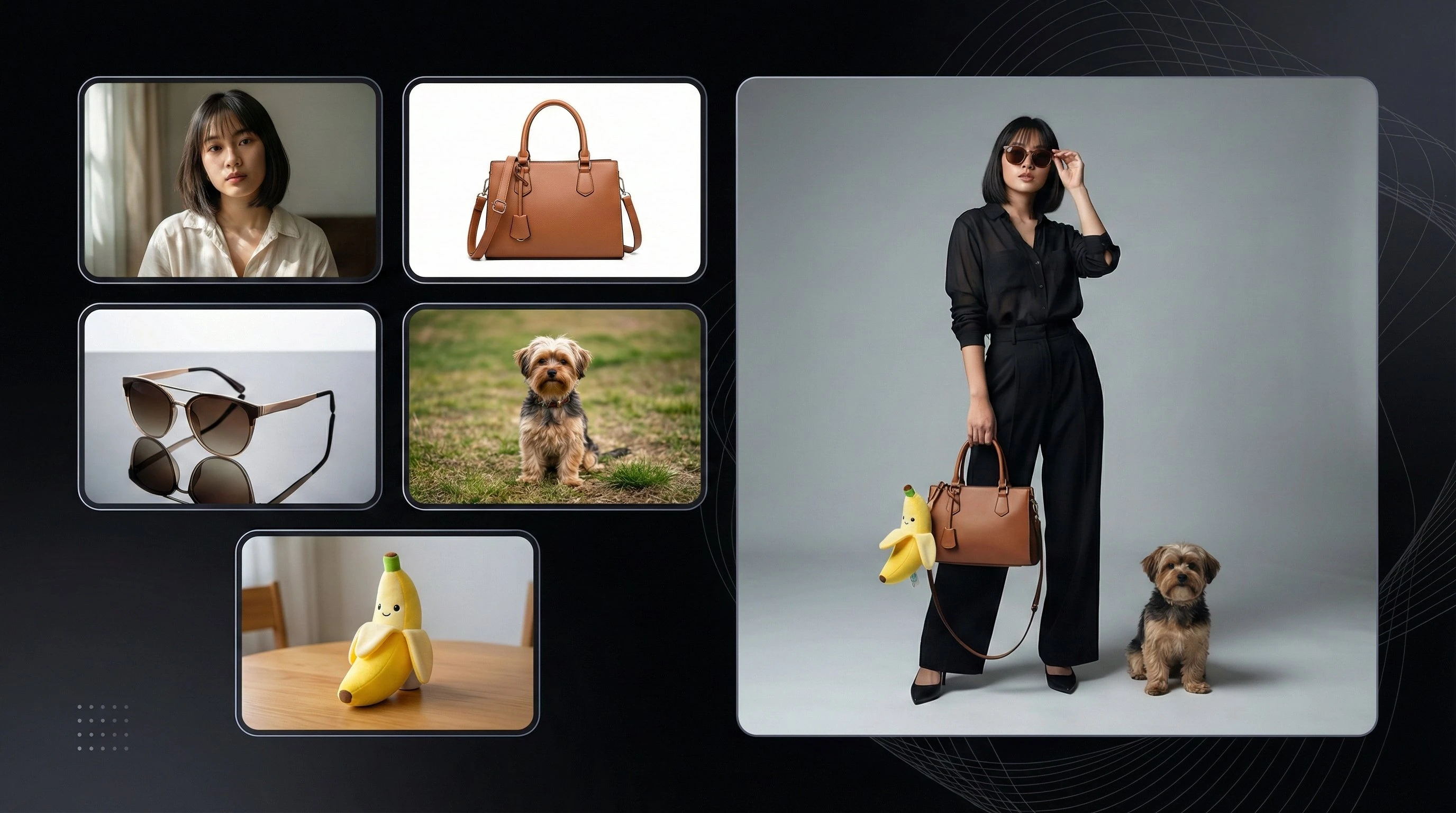
Using the provided input image. Use the portrait image as the main subject and keep her face, hairstyle, and body shape exactly the same. Place the handbag from the product image naturally in her hand. Put the sunglasses from the input image onto her face. Place the small dog from the input image sitting beside her. Attach the banana plush toy. Make sure all objects match the same lighting, shadow direction, perspective, and color tone. The final image must look like one real professional fashion photo. The background should be clean studio gray with soft gradient lighting. The composition should feel balanced, elegant, modern, and premium. High resolution, sharp details, realistic.
What is Image to Image AI?
Image to image AI is an AI tool that changes one image using another image as a starting point. You upload a picture, tell the AI what you want changed, and it creates a new image while keeping the main subject recognizable.
It is useful for photo restyling, creating AI image variations, turning selfies into professional headshots, and converting photos into drawings or anime. You keep the same layout and subject, but the style and look can be completely new.
Key Features & Use Cases
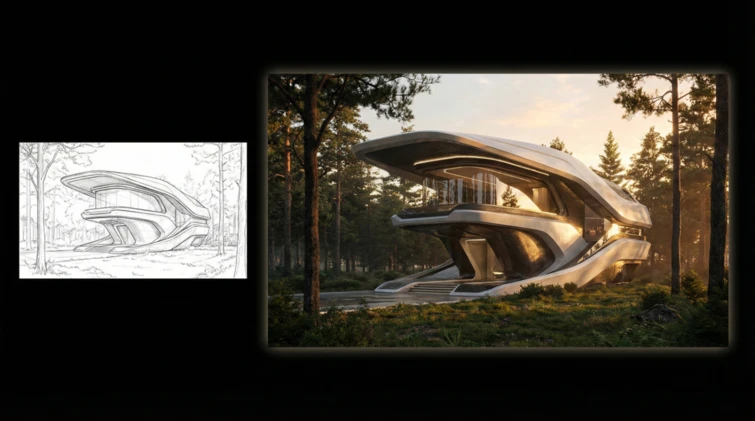
Turn Sketch into Image
Upload a simple sketch or line drawing and turn it into a complete image. This is helpful for designers, students, and architects who want quick visual ideas.
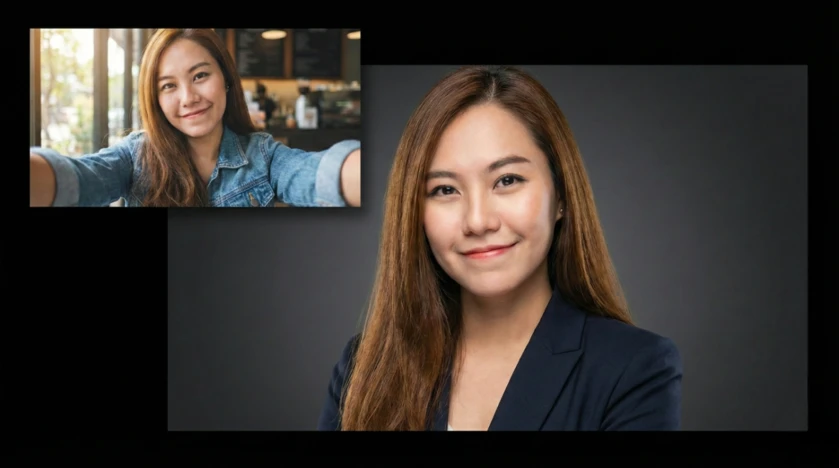
Turn Selfie into Professional Headshot
Upload a casual selfie and create a business-style headshot. The AI can improve lighting, change backgrounds, and adjust clothing while keeping your face the same.
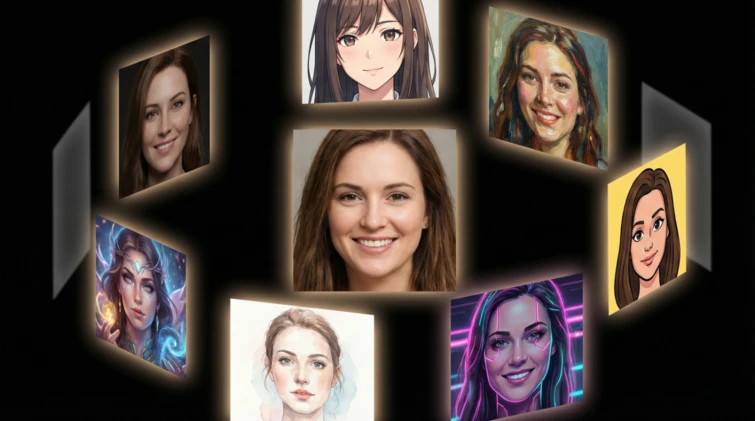
Convert Photos to Anime or Art Styles
You can turn photos into anime, painting, cartoon, or cyberpunk styles. Your features stay the same, but the artistic style changes.
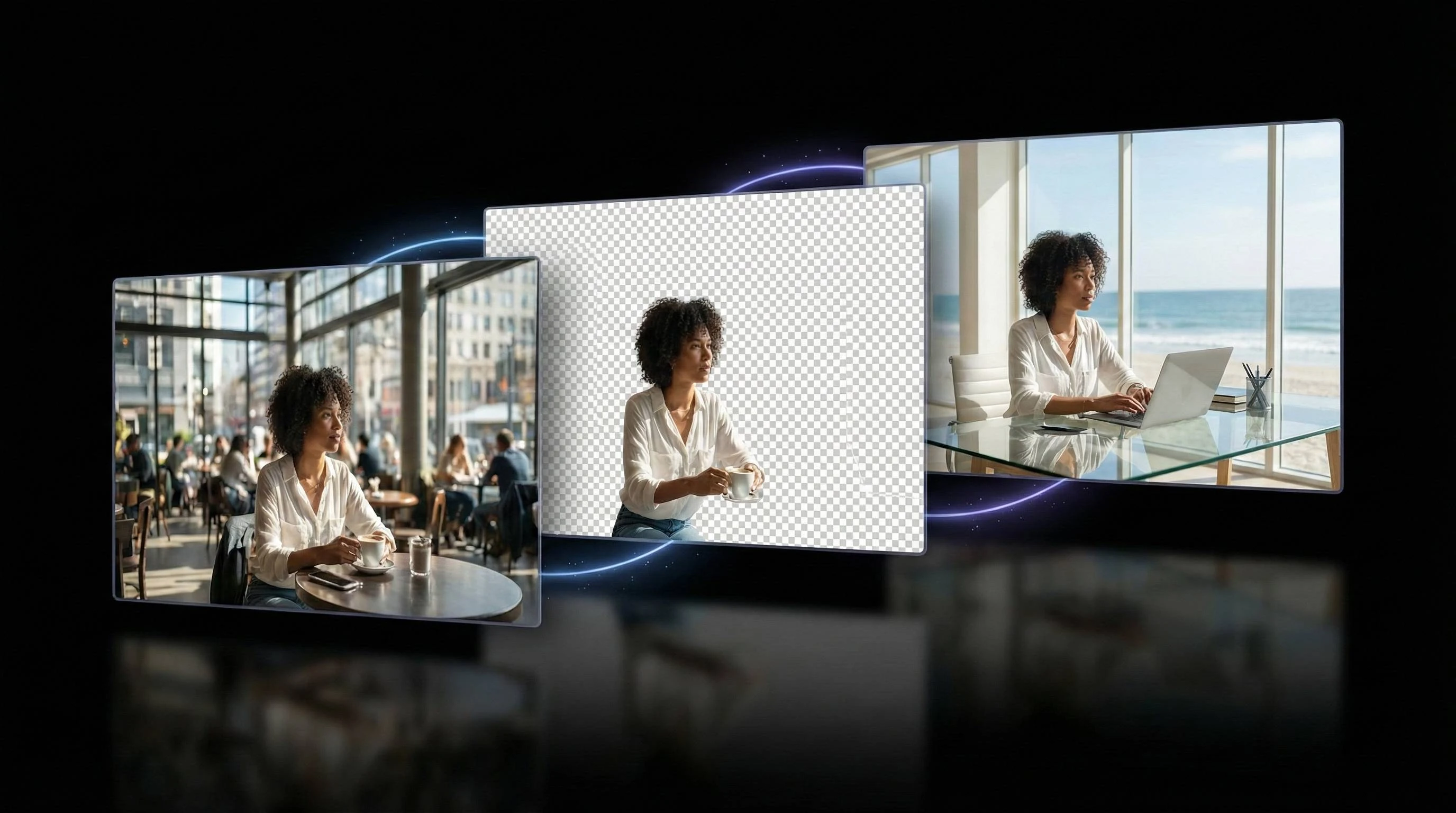
Background & Object Editing
Easily remove or replace backgrounds. Place your subject in a new scene like an office, studio, or beach without manual editing.