Seedance 2.5 AI Video Generator
Video duration in 4-30 seconds.
Create a 30-second, 16:9 cinematic short film in a handcrafted needle-felted wool stop-motion style. STORY CONCEPT During a winter night, a small lamb discovers that the wool moon is unraveling. She follows its loose silver thread through the forest and carefully weaves the moon back together. The story should express the natural qualities of wool felt: softness, unraveling fibers, stitching, weaving, patching, warmth, and gentle transformation. VISUAL STYLE A magical nighttime forest created entirely from needle-felted wool, yarn, fabric, embroidery thread, cotton, and handmade miniature materials. Use deep navy-blue felt skies, soft white wool snow, silver thread stars, warm amber lantern light, and a large cream-colored needle-felted moon. Show visible fibers, fuzzy edges, stitching, layered fabric, loose threads, and subtle handmade imperfections. Animate mostly on twos at 24 fps playback. Movement should feel soft, tactile, and intentionally handcrafted. Use slow motion-control camera moves and macro lenses with shallow depth of field. CHARACTER CONSISTENCY Pip: A small white needle-felted lamb with round black felt eyes, pale pink inner ears, short curled wool, a red knitted scarf, and a tiny amber lantern attached to a wooden handle. Owl: A small brown felt owl with embroidered eyes, layered fabric wings, and a blue knitted cap. Keep their proportions, fibers, clothing, colors, and facial designs consistent throughout. 0–5 SECONDS Begin with a slow aerial movement across a quiet wool forest at night. Pass soft felt pine trees, embroidered snowflakes, cotton clouds, and tiny silver-thread stars. Pip walks along a stitched path carrying her amber lantern. She stops when a glowing silver fiber drifts down in front of her face. Pip looks up and sees a loose thread hanging from the lower edge of the large wool moon. 5–11 SECONDS A gentle wind catches the loose silver thread and pulls it across the sky. The edge of the moon begins unraveling. Soft cream-colored fibers peel away and float through the air like glowing wool snow. As the moon becomes smaller, its warm light fades across the forest. The owl wakes on a nearby branch and looks worried. Small woodland animals emerge from their felt homes as the forest grows darker. Pip catches the silver thread between her soft hooves before it can blow away. 11–17 SECONDS The wind pulls the thread through the forest, carrying Pip behind it. She slides down a hill of layered white felt, runs beneath arching knitted roots, and crosses a stream made from rippling blue ribbons. Her red scarf catches on a branch and begins to unravel. Without stopping, Pip uses the loose red yarn to tie the silver moon thread securely around her waist. The glowing thread now forms a clear path from Pip back to the damaged moon. 17–23 SECONDS Pip reaches the tallest felt pine tree and climbs its soft stitched branches. At the top, the owl arrives carrying a small wooden weaving shuttle. Pip threads the moon's loose silver fiber through it. Together, they swing the shuttle back and forth. Each pass weaves the floating cream fibers into a new curved section of the moon. Show the moon rebuilding through visible layers of wool rather than appearing instantly. 23–27 SECONDS Pip presses the final loose fibers into place with both hooves. A soft golden pulse travels through the newly woven moon. Its full round shape returns, brighter and warmer than before. The silver-thread stars illuminate one by one across the navy felt sky. Warm moonlight spreads over the snow, trees, animals, and individual wool fibers. The forest animals cheer silently, bouncing in small stop-motion movements. 27–30 SECONDS Pip notices that most of her red scarf has unraveled during the journey. Only a short piece remains around her neck. The owl gathers the leftover red yarn and quickly knits it into two tiny matching scarves—one for Pip and one for himself. They sit together on the highest branch beneath the repaired moon. Pip's lantern dims as the moonlight takes over. End with the camera slowly pulling back to reveal the entire wool forest glowing beneath the newly mended moon. SOUND Use soft winter wind, fabric movement, wool brushing, yarn sliding, tiny wooden footsteps, and delicate stitching sounds. Add a gentle music-box melody with warm strings as Pip follows the thread. Each completed stitch produces a soft bell-like note. Let the music swell when the moon lights up. During the final second, fade the music away and retain only quiet wind and the soft movement of wool fibers. FINAL IMAGE A peaceful wide shot of Pip and the owl wearing matching red scarves beneath the repaired needle-felted moon. Every tree, cloud, star, and snowdrift retains visible handmade fibers and stitching. No title, logo, subtitle, watermark, or end card.
Seedance 2.5 AI Video Generator with Audio
Create coherent, multi-shot videos up to 30 seconds per generation with synchronized audio and precise reference control.
Why Choose This AI Video Generator?
Seedance 2.5 is ByteDance's next-generation audio-video generation model, built to create complete sequences rather than disconnected clips. Img2.AI brings its text, image, video, and audio-guided workflows into one focused generator.
Start with a prompt to explore an idea, or combine up to 50 multimodal references when a project needs tighter control over products, characters, movement, framing, visual style, and sound.
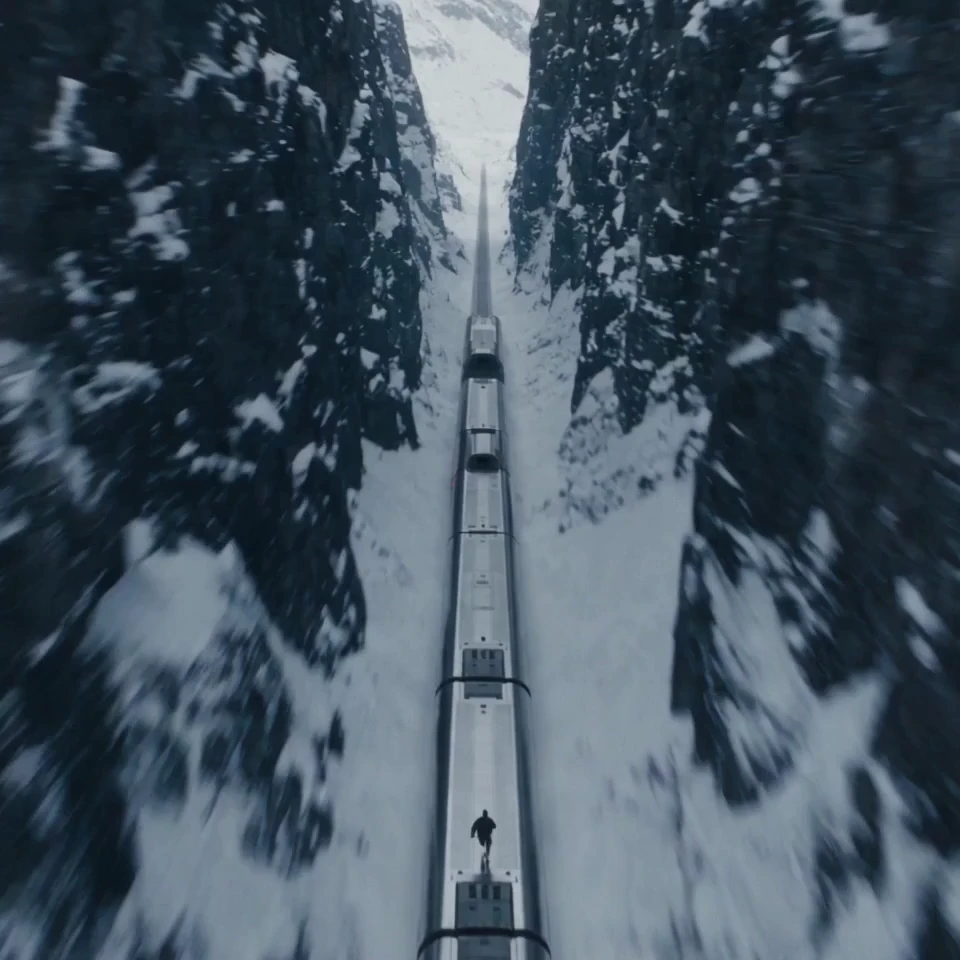
Build Longer Story Arcs
Create videos up to 30 seconds per generation, giving the setup, action, transition, and resolution room to unfold inside one coherent sequence. This makes the model useful when an idea needs narrative progression—not just a single animated moment.
What Can You Create?
Example prompt A premium skincare serum stands on a dark reflective surface. Open with a macro shot of condensation moving across the glass bottle. The camera orbits slowly as a soft blue light reveals the label. Transition to the serum spreading across skin in a clean studio close-up. End on the product and logo with a restrained electronic sound cue. Preserve the bottle shape, label, and brand colors from the references.
Launch a Product Without Rebuilding Every Shot
For DTC brands, ecommerce teams, and product marketers · Mode: Reference to Video · Inputs: Product images + brand references · Output: Product launch ad
You already have approved product photography, packaging, and brand guidelines, but the campaign needs movement. Keep the product recognizable while turning those assets into a complete launch story with intentional lighting, camera direction, and sound.
Recommended setup: Reference to Video with product, packaging, lighting, and audio references.
Example prompt A commuter steps onto a crowded train holding a nearly empty coffee cup. The train suddenly transforms into a quiet sunrise overlook. She takes one sip, relaxes, and the city noise fades into birds and soft wind. Cut the coffee package on a stone ledge. Warm natural light, grounded performance, clean brand reveal, vertical composition.
Turn One Idea Into Paid Social and UGC Creative
For performance marketers, UGC teams, social creators, and agencies · Mode: Text to Video · Inputs: Campaign idea + optional visual references · Output: Paid social or UGC creative
You need several short-form concepts for TikTok, Reels, Shorts, or paid placements, but a traditional shoot is not ready. Build a complete first version from a simple campaign idea, then adapt the strongest direction for different formats, hooks, and audiences.
Recommended setup: Text to Video for fast concept exploration; add creator, product, or campaign references once the direction is approved.
Example prompt One continuous handheld tracking shot through a backstage corridor. Follow the lead performer from the dressing room, past dancers and crew, then through the stage curtain into a wide arena reveal. Keep the performer consistent. Use natural occlusions for transitions, warm backstage practical lighting, cooler stage light, rising crowd ambience, and no abrupt cuts.
Previsualize a Scene Before Production Starts
For directors, production companies, and agency pitch teams · Mode: Reference to Video · Inputs: Storyboards + blocking + camera references · Output: Cinematic previs
Your team needs to align on staging, lens movement, transitions, and performance before committing a crew or location. Translate storyboards and spatial references into a moving sequence that makes the creative intention easier to review.
Recommended setup: Reference to Video with storyboard frames, environment images, motion references, and sound direction.
Example prompt A young bicycle courier in a yellow rain jacket races through a neon city during a storm. Begin with a close-up as she checks a damaged parcel, follow her through a crowded market, then reveal a flooded street blocking the route. She carries the bicycle across a narrow footbridge and reaches a quiet apartment at dawn. Keep her face, jacket, bicycle, and parcel consistent throughout.
Keep a Character Coherent Across a Multi-Shot Story
For short-film creators, animation teams, and serialized storytellers · Mode: Reference to Video · Inputs: Character sheet + location references · Output: Narrative sequence
A story loses its impact when the main character changes between shots. Anchor appearance, wardrobe, environment, and emotional progression with recurring references, then describe the narrative in ordered beats.
Recommended setup: Reference to Video with a clean character sheet, wardrobe details, key locations, and a beat-by-beat prompt.
Example prompt A vocalist performs inside an empty midnight diner as rain moves across the windows. Start close and intimate during the verse. As the beat opens, pull the camera through the glass and reveal the diner glowing alone beside a dark highway. Keep the singer's appearance consistent, match movement to the track's energy, and preserve natural lip and body motion.
Build a Music-Led Visual Around Performance and Rhythm
For musicians, labels, event teams, and social creators · Mode: Audio-Guided Video · Inputs: Track excerpt + performer references · Output: Music visual
You have a track and a visual direction but need a sequence that feels shaped by the music. Use audio and performance references together so movement, camera energy, and scene changes support the same creative rhythm.
Recommended setup: Audio-guided Reference to Video with performer images, a track excerpt, and clear camera beats.
Creation modes
Choose the Right Creation Mode
Each mode starts from a different kind of input. Pick the one that matches what you already have, then let the prompt carry the rest of the direction.
Text to Video
Build the entire scene from a written concept.
- Use it when
- The idea starts as a written concept and you want the model to build the scene from scratch.
- Best for
- Early concepts, narrative scenes, campaign ideas, and creative exploration.
- Start with
- A structured prompt covering subject, setting, action, camera, lighting, pacing, and sound.
Image to Video
Put an existing still into motion without losing it.
- Use it when
- A still image already defines the subject, product, character, or opening frame.
- Best for
- Product images, key art, campaign stills, character portraits, and visual development.
- Start with
- A strong source image plus a prompt describing motion, camera behavior, and what should remain unchanged.
Reference to Video
Hold multiple references to one controlled result.
- Use it when
- The result must follow several visual, motion, character, spatial, or audio references.
- Best for
- Brand-controlled production, multi-character scenes, story continuity, film previs, and reference-heavy workflows.
- Start with
- Only the references that serve a clear purpose, then identify each one in the prompt.
Workflow
How to Use Seedance 2.5
Three steps from an idea to a finished sequence with synchronized sound.
- 1
Choose a Mode and Add Your References
Start with Text to Video, Image to Video, Reference to Video, or Edit & Extend. Upload the images, video, or audio that should guide the result, and remove anything that does not have a clear role.
- 2
Write the Prompt Like a Director
Describe the scene in ordered beats, then add the camera, movement, lighting, pacing, and sound. Name the elements that must stay consistent instead of relying on broad adjectives.
Weak promptMake a cinematic shoe ad.
Stronger promptA black running shoe rests on wet asphalt before dawn. Begin with a macro shot of water moving across the sole, then track beside an athlete as the first city lights switch on. Keep the shoe design and logo unchanged from the reference image. Cool blue lighting, low camera angle, grounded foot impact, synchronized rain and street ambience, clean product frame at the end.
- 3
Generate, Review, Refine, and Download
Check character and product consistency, scene order, audio timing, and transitions. Refine a specific moment or extend the sequence when needed, then download the finished video without a watermark.
FAQ
Frequently Asked Questions
What the model does, how the workflow behaves, and what you get on download.
It is ByteDance's next-generation audio-video generation model. It is designed for coherent storytelling, multimodal reference control, synchronized sound, and precise editing across advertising, social content, cinematic concepts, and other professional creative work.
Yes. Create an Img2.AI account to start your trial. Current usage availability is shown inside your account, so you can review the applicable limits before generating.
The model creates videos up to 30 seconds per generation. When a story needs to continue, use the available extension workflow to carry the scene forward while preserving the intended subject, environment, and pacing.
Yes. It can generate video and audio together, including dialogue, ambience, sound effects, or music direction. Clear audio instructions and relevant references help the sound serve the scene rather than compete with it.
You can guide a project with text, images, video, and audio. For reference-heavy production, the model can work with up to 50 multimodal references; use each file for a defined purpose such as character identity, product appearance, motion, framing, setting, or sound.
Seedance 2.5 generates at 480p or 720p, and both options are available for every mode in the generator. 4K is not currently supported. Use 480p while you are testing prompts and references, then switch to 720p for the version you intend to keep — the credit cost is calculated per second at the resolution you select.
The newer model focuses on longer single-pass storytelling, stronger multimodal reference understanding, more reliable editing, smoother scene continuity, and closer coordination between picture and sound. Those changes make it better suited to complete creative sequences and reference-heavy production workflows.
Commercial use is available subject to the current Img2.AI plan terms and model conditions shown for your account. You remain responsible for having the necessary rights to prompts, uploaded references, brands, likenesses, music, and other source materials used in a project.
No. Videos generated and downloaded through this tool are watermark-free.
Write prompts as a sequence of visual beats. Identify the subject and setting first, describe what changes over time, specify camera and lighting choices, add sound direction, and state what must remain consistent. Concrete direction usually gives the model more useful information than strings of style adjectives.
Start creating
Create the Whole Sequence in One Focused Workflow
Move from prompt and references to a coherent video with synchronized audio, precise creative control, and watermark-free downloads.
- Sign up to try
- Watermark-free downloads
- Commercial use available
Add your first prompt or reference to begin.